


Simplify, Secure Your Crypto Withdrawals with Giottus's New Address Book Feature

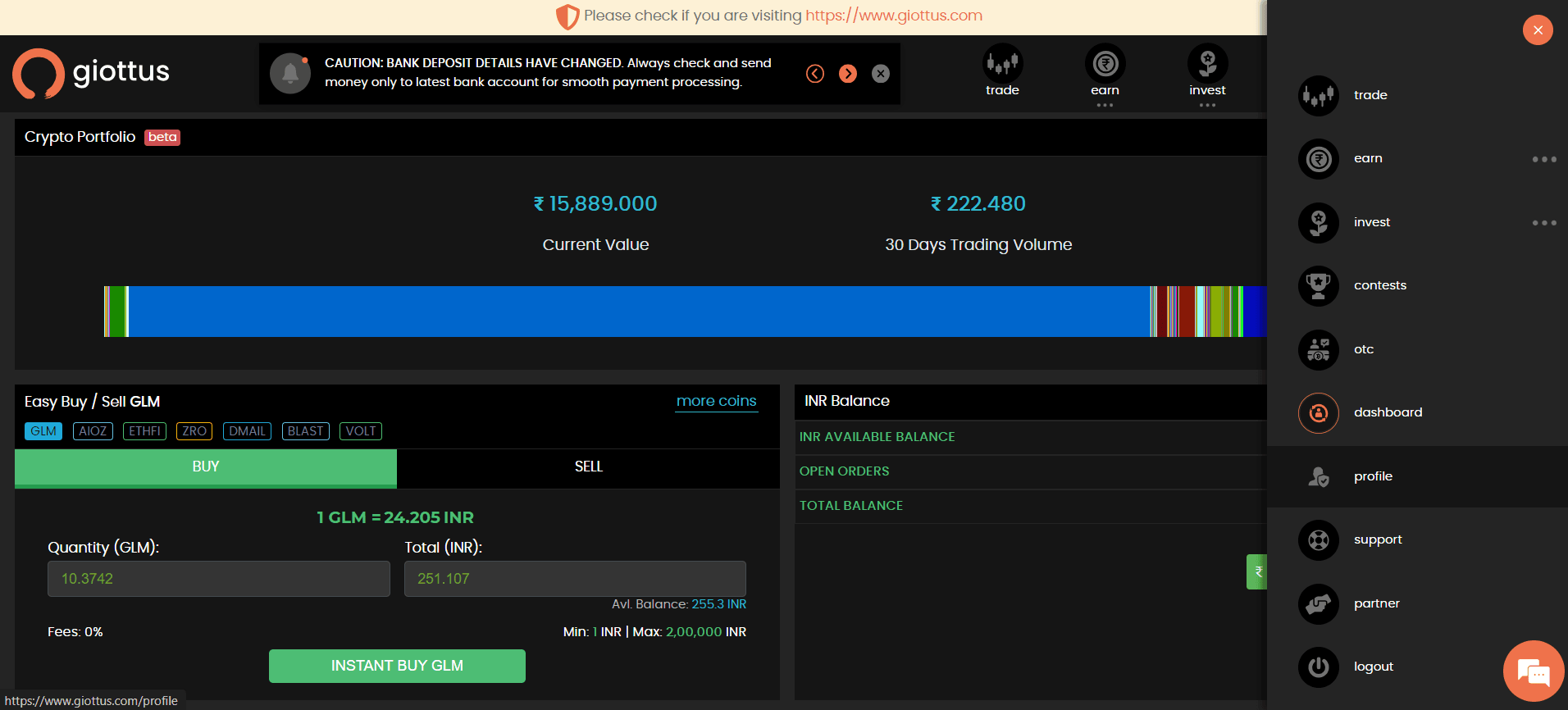
Managing your crypto transactions just got easier and more secure with Giottus's innovative Address Book feature. Say goodbye to the hassle of manually entering withdrawal addresses and the risk of costly errors. Our new Address Book allows you to save and manage your frequently used addresses, ensuring faster, safer, and more streamlined withdrawals. Whether you're sending assets to a personal wallet or an exchange, this feature is designed to enhance your experience and safeguard your transactions.
Why Choose the Address Book?
Many crypto enthusiasts often send assets to the same set of addresses—be it a personal wallet or an exchange. Manually entering these addresses each time can be prone to mistakes, which could lead to costly errors. Giottus’s Address Book feature allows you to save, label, and manage your frequently used addresses, making your transactions not just faster but also significantly more secure.
Universal Address: A Special Feature
The Address Book also supports Universal Addresses, adding another layer of convenience. If you frequently use the same Ethereum or Tron address for multiple ERC20 or TRC20 tokens respectively, you can mark the address as universal, specific to the network. For example, if you add an Ethereum Network address and select the universal option, you can withdraw multiple tokens like USDT, Aave, or Chainlink as long as they share the same Ethereum address at the destination. This feature minimizes the hassle of managing multiple addresses for different tokens, streamlining your transactions even further.
Step-by-Step Guide to Using the Address Book for Withdrawals
Giottus’s Address Book feature makes it easier than ever to withdraw your crypto assets securely. Follow these simple steps:
- Navigate to the 'Withdraw' Section: Start by logging into your Giottus dashboard and heading to the 'Withdraw' section.
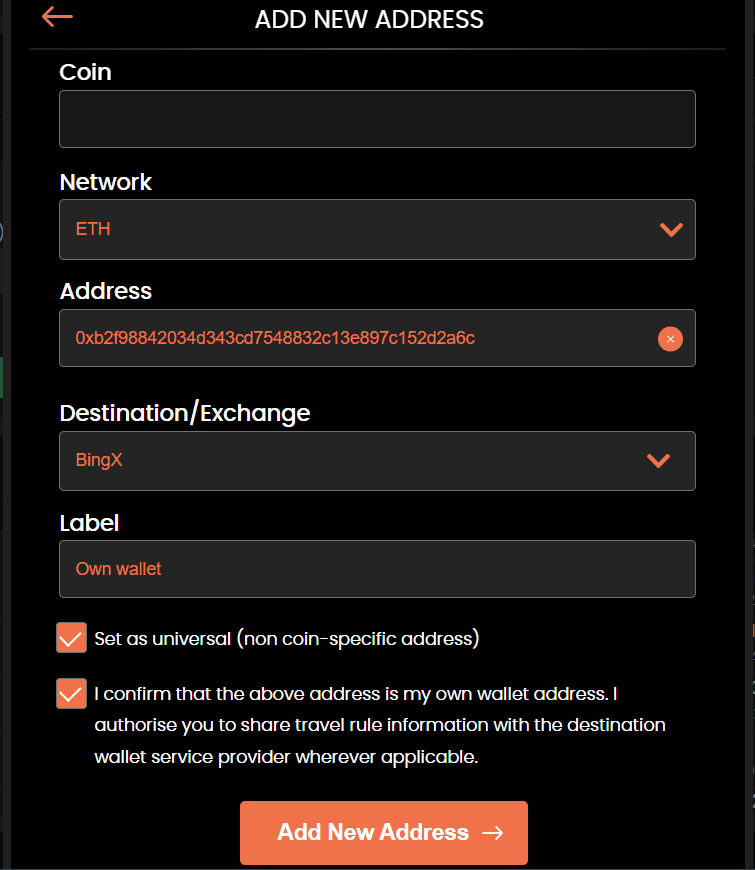
- Add a New Address: Click on 'ADD NEW ADDRESS' when prompted to add a new address.
- Enter Withdrawal Details
- Withdrawal Address: Enter the address where you want to send your crypto.
- Destination Exchange: Select the exchange from the list or choose 'Other' if it’s not listed.
- Label: Describe where you’re sending the funds (e.g., personal wallet,)
- Universal Address: If the address is applicable for multiple coins like ETH, check the relevant box.
- Confirm Your Address: After entering the details, click on 'Add New Address.'
- A One-Time Password (OTP) will be sent to your registered email and mobile number. Enter the OTP to confirm.
- Verify via Email: Check your email for a verification message. Confirm it to proceed with adding your new address.
- Select and Continue: Once the address is added, select it from your Address Book.
- Click on 'CONTINUE' to move forward with your withdrawal.
- Enter Withdrawal Amount: Specify the amount you wish to withdraw and click on 'NEXT' to proceed.
- Final Confirmation: You will receive another OTP via email. Enter this OTP to finalize your withdrawal.
- Confirm the final verification message to complete your transaction.
- Track Your Withdrawal: Head back to the dashboard and go to the 'Crypto Deposit and Withdrawal History' section to review your recent withdrawals.
Experience seamless, secure, and hassle-free withdrawals with Giottus’s new Address Book feature—your gateway to a smarter crypto experience!
Updated on: 19th December, 2025 2:25 PM


FAQ's
1. What is the Address Book feature on Giottus?
The Address Book on Giottus lets you save and manage your frequently used crypto withdrawal addresses, making withdrawals faster and reducing the risk of manual errors
2. How does the Address Book improve security for withdrawals?
By saving verified addresses in the Address Book, you avoid typing errors or sending funds to incorrect addresses — a common cause of lost crypto.
3. What is a Universal Address in the Giottus Address Book?
A Universal Address lets you assign one address for multiple tokens on the same network (e.g., ERC20 tokens on the Ethereum network), streamlining withdrawals.
4. How do I add a new withdrawal address to the Address Book?
Go to the ‘Withdraw’ section in your dashboard, click Add New Address, enter the wallet address, destination exchange, label, and (if applicable) select Universal Address. Confirm with OTP and email verification.
5. Do I need to verify the address before withdrawing?
Yes. After entering the address details, you must confirm via OTP sent to your registered mobile and email and then verify through an email link to add it to your Address Book.
6. Can I edit or delete a saved address?
Yes. You can manage saved addresses in the Address Book by editing labels or removing addresses no longer needed. This helps keep your list organized and secure.
7. Is the Address Book available for all cryptocurrencies?
The feature supports any cryptocurrency you can withdraw from Giottus, and Universal Address support works for tokens on compatible networks like Ethereum.
8. Can I use a saved address for every withdrawal?
Yes. When withdrawing, simply select the saved address from your Address Book to speed up the process and avoid manual entry.
9. What happens after I select a saved address and initiate a withdrawal?
After selecting the address, enter the withdrawal amount and confirm with the required OTP from email to complete the transaction. You can track the withdrawal in your dashboard history
10. Does using the Address Book affect withdrawal fees or times?
No. The Address Book does not change Giottus’s usual withdrawal fees or blockchain processing times but helps avoid mistakes and makes the process faster and safer.


